Skip to content
Web Dashboards & Admin Panels

Services/Development/Web Dashboards & Admin Panels

Development

Web Dashboards & Admin Panels

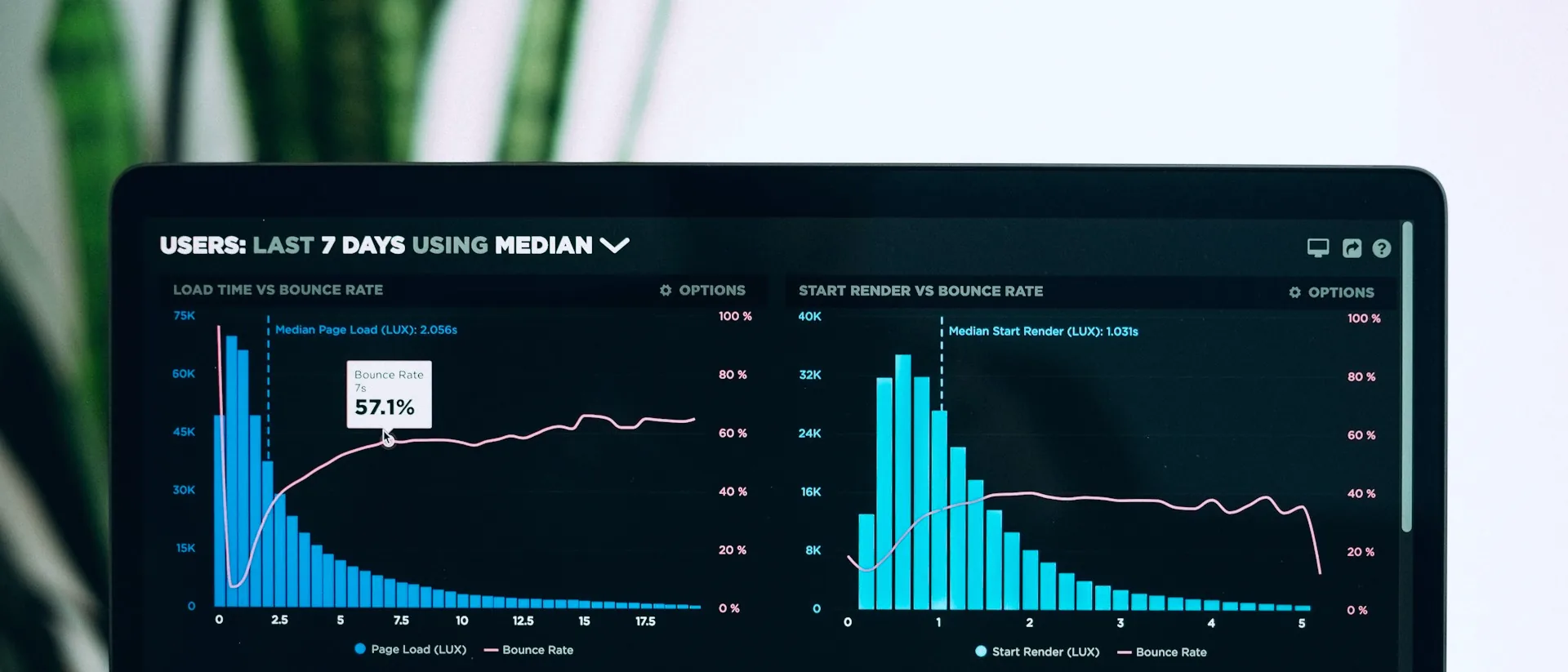
Feature-rich web dashboards with real-time analytics, financial management, calendar views, chat systems, bulk data upload tools, and third-party integrations for complete operational control.

By the Numbers

500ms

Dashboard Load Time

99.9%

Uptime SLA

100+

Data Sources Integrated

24/7

Real-Time Data

How It Works

Dashboard Development Process

01

Requirements & Wireframing

We identify the key metrics, workflows, and user roles your dashboard must support. Wireframes define the layout, navigation, and data visualization approach for each user type.

02

Frontend & Backend Development

The dashboard UI is built with modern frameworks (React/Next.js) while backend APIs handle data aggregation and real-time updates. Both are developed in parallel for rapid delivery.

03

Integration & Data Pipeline

We connect the dashboard to your data sources, third-party APIs, and existing systems. Data pipelines transform raw information into the visualizations and reports you need.

04

Deployment & Training

The dashboard is deployed to production with user training sessions. We provide documentation, video walkthroughs, and ongoing support to ensure full team adoption.

What We Deliver

Real-Time Analytics

Live-updating charts, KPIs, and data tables powered by WebSocket connections. Business metrics refresh automatically, giving stakeholders an always-current view of operations.

Financial Management

Revenue tracking, expense categorization, invoice status, and payment reconciliation in a unified financial view. Export-ready reports simplify accounting and audit preparation.

Calendar & Scheduling

Interactive calendar views for appointments, events, and resource allocation. Drag-and-drop scheduling, recurring events, and conflict detection streamline time management.

Integrated Chat System

In-dashboard messaging for team communication and client support. Threaded conversations, file sharing, and notification badges keep communication organized and accessible.

Mass Upload Tools

Bulk data import from Excel and CSV files with validation, error reporting, and preview before commit. Upload hundreds of records in seconds with automatic duplicate detection.

Google Places Integration

Address autocomplete, map visualization, and location-based data powered by Google Places API. Manage geographically distributed operations with precise location intelligence.

Role-Based Access Control

Granular permissions system controlling who sees and edits what. Administrators, managers, and staff each get tailored views matching their responsibilities and clearance level.

Use Cases

Dashboard Applications

1

Operations Command Center

A multi-location business manages all sites from a single dashboard. Real-time KPIs, financial summaries, and team calendars give leadership a complete operational picture at a glance.

2

Student Management System

An educational institution uses a dashboard for enrollment, attendance, grading, and parent communication. Bulk upload tools handle semester-start data imports, and calendars manage the academic schedule.

3

Service Provider Portal

A professional services firm tracks projects, invoicing, and client communication from a centralized admin panel. Role-based access ensures consultants, managers, and finance each see relevant data.

Technology Stack

Flutter WebReactNode.js ProxyFirebaseGoogle PlacesCloud Run

FAQ

Frequently asked questions

Ready to get started?

Let's discuss how this solution fits your business.

Custom Dashboard vs. Generic BI Tool: What's the Real Difference?

Business intelligence platforms like Tableau or Power BI offer useful templates, but they are built for broad audiences. A custom admin panel or control dashboard, by contrast, is built around your operation's exact logic: your data sources, your metrics, and each user's role. Rather than bending your business to fit the tool, the tool fits your business. This means a sales dashboard can surface precisely the KPIs your commercial team needs — no visual clutter, no irrelevant data — while the finance team sees projections and reconciliations in the same system with separate access controls. The outcome is faster decisions and less time deciphering interfaces designed for someone else's workflow.

How We Build Your Dashboard: From Data Sources to Screen

The process starts by mapping your data sources: relational databases (PostgreSQL, MySQL), external APIs, spreadsheets, CRMs, or ERPs. We then design ingestion and transformation pipelines — ETL or ELT depending on data volume and required refresh frequency. On that foundation we model your business metrics with logic validated alongside your team, ensuring every number means the same thing across all departments. The visualization layer is built with interactive components: filters, drilldowns, and exports. Finally, we implement a role-based permissions model: the executive sees everything, the regional manager sees their territory, the operator sees only what is relevant to them. Every layer is reviewed and approved before moving to production.

Use Cases: Sales, Finance, Operations, and Real-Time KPIs

A sales dashboard centralizes pipeline, quotas, stage-by-stage conversion, and individual rep performance on a single screen, eliminating manual Excel reports. On the finance side, a control panel integrates accounts receivable, cash flow, and budget-vs-actual comparisons updated automatically. Operations teams monitor cycle times, inventory levels, and line efficiency without waiting for periodic reports. For executive leadership, strategic KPIs from every department converge in a single panel with configurable alerts. Each of these dashboards can be built independently or as modules within a unified platform sharing the same data layer and authentication system. The common thread: actionable information available exactly when it is needed.

Real-Time Data, App Embedding, and Data Security

Dashboards built by AISDC can refresh metrics in real time using WebSockets or high-frequency scheduled queries, depending on how time-sensitive the data is. If you already have a web or mobile application, the control dashboard can be embedded directly inside your platform, preserving your brand identity and user session without friction. On the security side, we implement encryption in transit (TLS) and at rest, multi-factor authentication, access auditing, and tenant-level data isolation where applicable. We do not store your company's information on shared infrastructure without your explicit consent. Data control stays where it belongs: inside your organization.